



Meowzino Casino App
Mobile gambling is nothing new and there’s practically no online casino without an app. We are not an exception. Our players can install the Meowzino app on their Android and iOS devices in seconds and have quick access to the whole game library.



Mobile Gaming at Meowzino
With the Meow Zino app, you can enjoy the full power of our platform directly from your mobile device. You can enable push notifications to stay updated on the latest bonuses and games, ensuring you never miss a beat. Our mobile casino provides the same complete functionality you find on our web platform, allowing you to play and manage everything in your account on the go.
There are benefits to playing on mobile and on a computer. It mainly comes down to your personal preference, since the Meowzino app is cross-platform and works great on Android, iOS, and Windows.
| Aspect | Web version | Meow Zino app |
| Access | Players first need to open their browser and visit our website. | Launch with one tap on the branded icon on the home screen. |
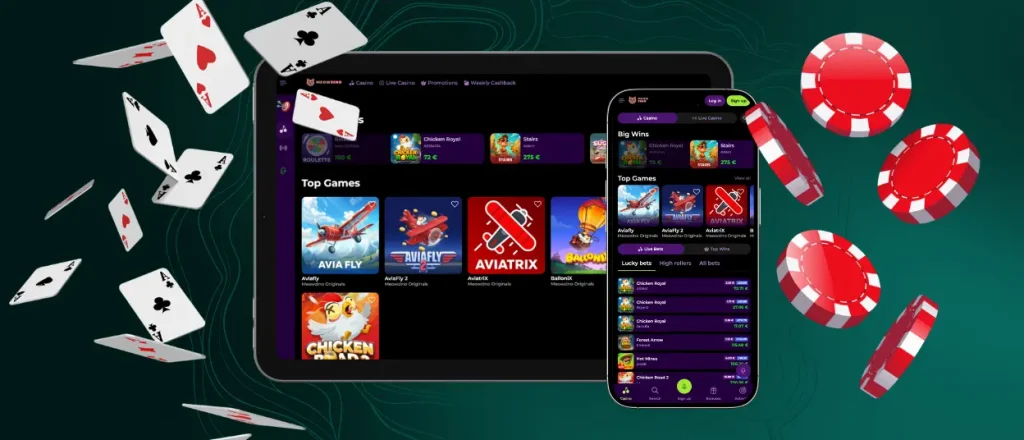
| Navigation | Browser interface. The drop-down menu is in the top-left corner. The search bar for the game library is also on top of the page. | The design adapts to the screen size. The main menu is in the bottom-left corner, and the search icon is on the bottom as well. |
| Game interface | Games don’t open in full screen. You can open several tabs in the browser and switch between them while you play. | Games open in full-screen and are optimized for touch controls. |
| Security | TLS 1.3 and 245-bit encryption, 2FA, tokenization of financial data, DDoS protection, etc. | Same measures as in the web version, but players can also enable Touch ID or Face ID for additional security. |
You can also easily switch between your gadgets. The information on your account synchronizes with the device you authorize it on.
Set Up Meowzino on Android
Android users can easily install our application in a few clicks and play mobile slots without switching to a laptop or PC. The best part is you don’t need to search through the Play Store or create an account there for the Meowzino app download. You can just visit our website from your mobile browser and tap the “Casino App” banner in the menu in the bottom-left corner. That will open a separate page for downloading our application.
You can also install the Meowzino app as a shortcut from the browser you use:
- Tap the three-dots menu in the top-right corner.
- Select “Add to home screen.”
- Click “Add” and confirm the installation.
We didn’t develop a native Android app, so there’s no official Meowzino APK. You can install our app only through our website. If you see any APK file with a similar name on another site or in Google Play, please don’t download it, as it can damage your phone.
PWA Casino
Our solution is a progressive web application (PWA). That’s basically a website that can work as a native application on your mobile. PWAs are more flexible and don’t require manual updates. You will always have a recent version of the Meow Zino app because it runs updates automatically in the background every time you launch it.
System Requirements
The Meowzino Casino app is not really demanding. It requires only 12MB of storage on your mobile device. Our progressive web app runs best on the latest operating system versions but can also work on older ones. It also has a caching function, so you can load the Meowzino app even with weak internet connections. It may not be enough for a session at a live casino table, but you will be able to manage your settings, check the current balance and more.
How To Play on iPhone
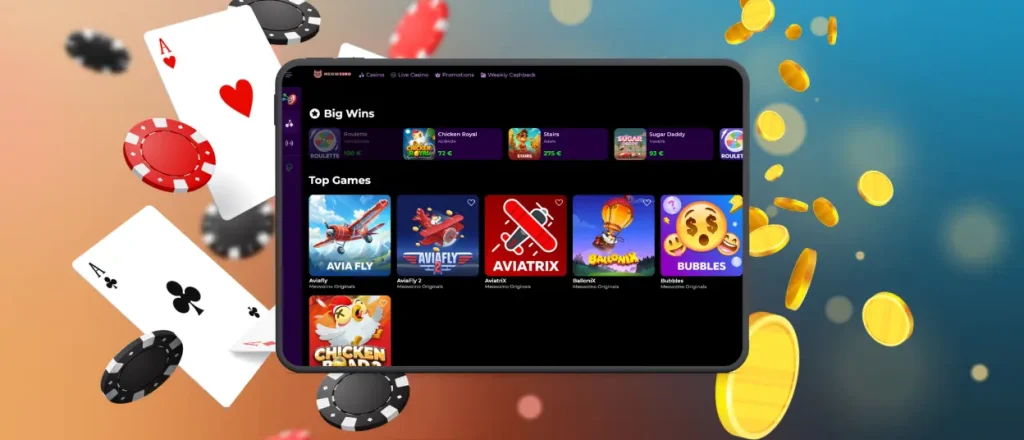
Thanks to the cross-platform compatibility of the PWA, our players can install the Meowzino app on iPhone or iPad as easily as on Android. There’s also no separate native iOS app, so you don’t need to download anything from the Apple Store. All there’s to do is open Meowzino Casino in Safari and tap the “Share” button. You will see the “Add to home screen” option, so click on it and place the branded icon on your screen. Now you can enjoy mobile betting right away when you feel like it without being tied to the desktop.
Play Meowzino in Your Browser
It’s not necessary to download the Meowzino mobile app to play from your smartphone or iPhone. Our platform runs in any modern mobile browser as well as on computers. You can just load our website there, authorize and play any title you want. This allows you to enjoy the full mobile casino experience without needing to set aside any storage space for the Meowzino download app.

FAQ
How does the mobile app differ from the desktop version?
They are similar except that in the mobile app you can use touch controls and the design adapts to the screen size of your device.
Can I contact customer support through the Meowzino application?
We have built-in live chat support in the Meowzino app and on the website, so you don’t need to switch between devices to talk to our specialists.
Does the app need permissions to work properly?
No, you don’t need to give any additional permissions for the Meowzino app to work properly. Our application is a PWA, so it’s basically a website that runs like a native app. It doesn’t need much storage and the core features work out of the box without asking for permission.
Will my account remain active if I uninstall the Meowzino app?
Yes, your account will remain active. It won’t be deleted with the Meowzino app, as the profile information is stored on our servers and not on your device.


